
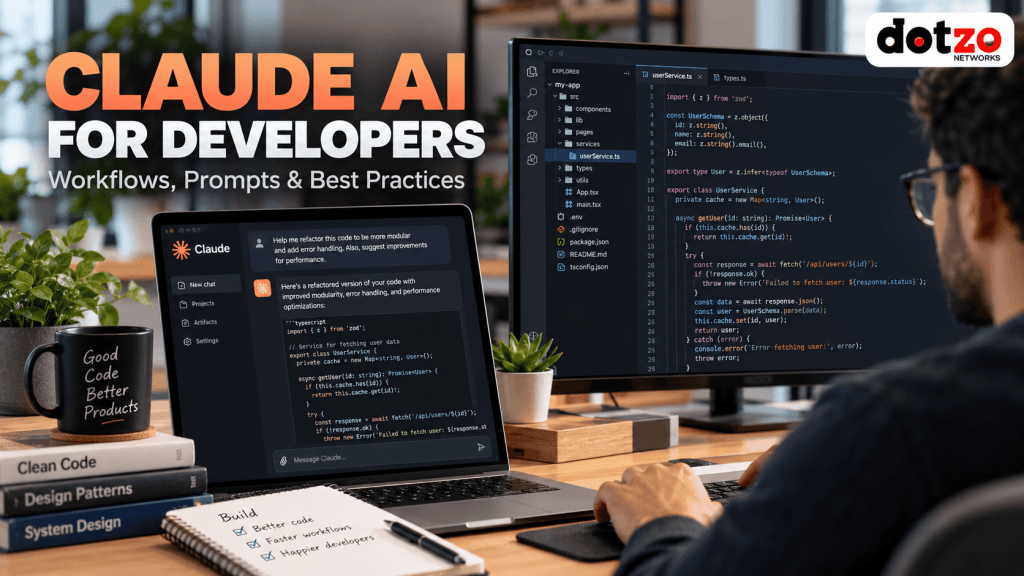
Updated: 11 October 2026. Claude AI for developers can do more than generate an isolated code snippet. It can help explain unfamiliar code, propose refactors, draft tests and documentation, investigate bugs and, in supported environments, work across a project with developer-approved tools. But the useful question is not “Can Claude write code?” It is where can it reliably reduce developer effort without creating new security, reliability or maintenance problems?
This practical guide covers Claude chat, Claude Code and API-assisted development, with repeatable example prompts and safeguards for teams building websites, APIs and applications on a VPS or dedicated server.
What is Claude AI for developers?
Claude is a family of AI assistants and models from Anthropic. Developers can use Claude in a conversational interface to discuss code and software problems, through developer tools such as Claude Code to work with repositories, or through an API when adding AI-powered features to applications. These are different integration patterns; access, tools and available models depend on your account and configuration.
Claude Code is an agentic coding tool with terminal, IDE and other supported interfaces. It can inspect files, suggest or make changes and run permitted commands. A developer still owns the specification, review, testing and decision to deploy. For current setup details, read the official Claude Code documentation.
How to get started with Claude Code: a practical developer walkthrough
Requirements: a terminal, a project that you are authorized to work on, and an eligible Claude subscription or Console account. Install methods and plan access can change; confirm the official Claude Code quickstart before installing. The commands below follow Anthropic’s documented CLI workflow; they are not claims that we have installed or benchmarked Claude Code on Dotzo infrastructure.
Step 1. Install and verify the command
On macOS with Homebrew:
brew install --cask claude-code
claude --version
On Windows with WinGet, open a terminal where WinGet is available:
winget install Anthropic.ClaudeCode
claude --version
For Linux, WSL and alternative supported installation methods, refer to the linked official quickstart rather than copying unknown third-party installers. claude --version should display a version number when installation and PATH configuration are correct.
Step 2. Start in a disposable local project
cd /path/to/your/project
git status --short
claude
Replace the placeholder path. Authenticate using the official prompts. Choose a project or working branch where you can review changes without exposing production credentials. Avoid granting broad shell or filesystem permissions as a convenience.
Step 3. Ask for a read-only codebase explanation
“Explain this repository’s entry point, packages, test commands and deployment assumptions. Identify the exact files you inspected. Do not create, edit or delete files.”
This reveals whether the model understands the repository before any feature request. Clarify incorrect assumptions and requirements first.
Step 4. Try a small, testable change
For example, imagine an API helper that calculates a shopping-cart subtotal. Use the following example task prompt; adapt the filename and test runner to your real project:
“Review the existing subtotal function. Add a test for a quantity of zero and a negative quantity. Explain the expected behavior from existing requirements before writing implementation changes. Keep the patch limited to the function and tests. Ask before installing packages, committing changes or changing configuration.”
After the proposed patch, inspect the diff and run the project’s documented test command. For a Git-managed Node.js project, illustrative review commands include:
git status --short
git diff --check
git diff --stat
git diff
Use npm test only if your project actually defines a test script; otherwise run its real test command. A passing test suite is useful evidence, but it does not replace reviewing authorization, data-handling and edge cases.
Step 5. Finish with a verified change summary
“List changed files, explain each modification, show lint/typecheck/test results, and identify any unverified assumptions. Do not deploy, push, migrate the database or commit unless I explicitly authorize those actions.”
Practical tip: make an initial commit or other project checkpoint under your team’s normal workflow before changing important code. For production-bound changes, verify in a development or staging environment first. Consult Anthropic’s common workflows guide for its current supported tooling and permissions.
Where Claude is useful in real development
1. Understand an unfamiliar codebase
Before editing a legacy PHP application or a Node.js backend, ask Claude to summarize the directory structure, request flow and important dependencies. Give it only authorized, relevant source code or allow approved repository access in a controlled workspace.
Example prompt: “Read the authentication route and its service layer. Map the request flow, identify external dependencies and list risks. Do not modify any files. Quote the filenames you used as evidence.”
Start with read-only analysis. That makes assumptions easier to challenge before code changes are introduced.
2. Draft focused features rather than entire applications at once
Claude can generate a first implementation of a well-defined feature: input validation, API pagination, server-side caching or a migration wrapper. Specify the language version, framework version, existing conventions, API contract, failure handling and acceptance criteria. Small tasks are easier to test than an instruction to “build everything.”
Example prompt: “Add request validation for the existing profile-update endpoint. Preserve current response shapes and authorization rules. Show the exact files to change and propose tests before writing code.”
Keep configuration and secrets out of prompts; use placeholders such as DATABASE_URL rather than real values.
3. Debug errors with evidence
Good debugging requests include a sanitized error message, steps to reproduce, the expected result, the actual result and relevant code. Ask for ranked hypotheses, not a single confident guess. Reproduce problems in development or staging, then confirm the fix with tests and logs.
Example prompt: “An API endpoint returns HTTP 500 when an optional parameter is missing. Analyze the sanitized stack trace and handler. Rank likely root causes and suggest the smallest safe patch. Do not change the database.”
Never paste customer credentials, payment details, private SSH keys or unredacted production logs into a third-party system without the necessary permissions and data protections.
4. Review changes before a pull request
AI can act as a second reviewer for error handling, unchecked inputs, risky SQL, authorization boundaries and unnecessary dependencies. It is not a replacement for peer review or security testing. Require Claude to distinguish observable defects from speculative concerns.
Example prompt: “Review this diff for broken access control, injection risks, data loss and performance regressions. For each finding, cite a code location, severity, exploit precondition and suggested test.”
5. Generate tests that actually exercise behavior
Claude can scaffold unit and integration tests, including boundary cases. Insist that generated tests fail when the implementation is intentionally broken; otherwise overly broad mocks can produce reassuring but meaningless green results. Retain a human-authored acceptance checklist.
Example prompt: “Write tests for this password-reset service. Cover expired tokens, reuse, malformed input, concurrent requests and notification failure. Explain what must remain mocked and what requires integration testing.”
6. Improve documentation and onboarding
Ask for a README, API reference, architecture diagram description or operational runbook from verified code and configuration. Generated documentation should identify uncertain details rather than invent commands, environment variables or service endpoints.
Claude Code vs Claude chat vs the API
| Approach | Best use | Important boundary |
|---|---|---|
| Claude chat | Planning, explaining, learning, small snippets | Only sees context you provide or explicitly connect |
| Claude Code | Repository investigation, multi-file edits, permitted tool use | Limit write and command permissions; review diffs |
| Claude API | Building AI functions inside applications and pipelines | Requires application-level authentication, monitoring and cost controls |
Capabilities and interface availability can change; confirm them in Anthropic’s current documentation rather than assuming an old walkthrough is still accurate.
A safer seven-step AI-assisted coding process
- Define the change. Write the problem, expected behavior and explicit non-goals.
- Inspect first. Ask for read-only evidence and affected-file lists.
- Protect sensitive data. Exclude secrets, customer records, tokens and private configuration.
- Make one focused edit. Favor reviewable diffs over sweeping rewrites.
- Run static checks. Lint, type-check, build and scan dependencies as appropriate.
- Test on non-production infrastructure. Use a staging environment and rollback/checkpoint strategy.
- Approve deployment deliberately. Review source changes, logs, migrations and post-deployment checks before touching production.
When a project is hosted remotely, a development VPS or staging server can provide isolation for repeatable tests. Consider Dotzo VPS and cloud hosting for an environment you control, or Dotzo dedicated servers when a workload calls for dedicated hardware. Server hosting does not include or guarantee access to Claude, Anthropic API credits, or automated software deployment.
Does Claude AI development require a GPU server?
Not for ordinary use of Anthropic’s hosted Claude models: the model inference runs on the provider’s infrastructure, and your application interacts with it over the network. An application server still needs suitable CPU, RAM, storage, network, monitoring and secure API key management.
A dedicated GPU becomes relevant when you instead run GPU-accelerated components yourself—for example, local open-weight models, embedding pipelines, custom computer-vision inference or fine-tuning supported models. For those tasks, compare the GPU model, VRAM and drivers on Dotzo GPU dedicated servers; not every GPU is suitable for every model size or framework.
For a clearer distinction between CPU-backed development servers and accelerated compute, see our GPU fundamentals guide. When moving your application to a new server, validate domain records with our dig DNS troubleshooting tutorial before changing production traffic.
Where Claude can get things wrong
- Invented APIs: plausible-looking methods or package options may not exist in your pinned dependency versions.
- Security gaps: generated code can omit authorization, input validation or tenancy boundaries.
- Outdated advice: tools, models, SDKs and framework syntax change quickly.
- Weak tests: tests may prove that mocks work rather than that the product works.
- Context errors: an assistant may miss requirements not represented in the provided repository and instructions.
- Operational risk: giving an agent broad production shell access can turn a small prompt mistake into an outage.
Treat AI output as a proposed implementation to review. Avoid asking a coding agent to run destructive shell or database commands without an approved plan, backup and human authorization.
Frequently asked questions about Claude for developers
Is Claude good for coding?
It is useful for code explanation, initial implementations, troubleshooting, tests and documentation. Quality varies with context and task; compile, test and review every generated change.
What is Claude Code?
Claude Code is Anthropic’s agentic coding tool for supported developer environments. It can work with repository files and permitted commands under user-controlled access.
Can Claude deploy code to a VPS?
Developer tools can assist with deployment workflows when configured and explicitly authorized, but automatic access is neither required nor advisable for production. Prefer staged deployments, scoped credentials and human approval.
Can I run Claude’s hosted models on my own GPU?
Using Anthropic’s hosted Claude API is not the same as downloading and self-hosting Claude weights. A GPU server is more relevant to supported self-hosted or open-weight alternatives and other accelerated workloads.
Should developers share secrets with an AI assistant?
No. Redact credentials, tokens, private keys and customer information unless an approved security policy and permitted tool explicitly govern such sharing.
Final takeaway
Claude can be a useful software-development assistant when tasks are specific, access is scoped and results are tested. Use it to accelerate evidence-gathering, coding and documentation—not to skip engineering review. For the infrastructure side of development, start with dedicated server options or Dotzo’s hosting services that match your workload.
Further reading: Claude Code official overview; Anthropic API information.
