
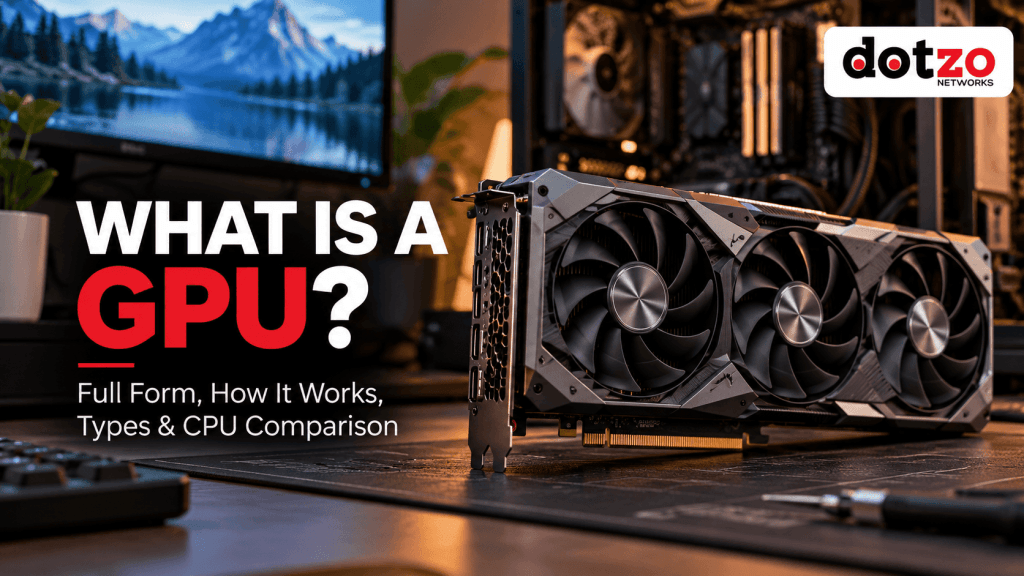
Updated: 11 October 2026. GPU stands for Graphics Processing Unit. Originally developed to speed up visual workloads, modern GPUs are also important for artificial intelligence (AI), machine learning, 3D rendering, video processing and other highly parallel tasks. But a GPU is not automatically faster than a CPU for every job—and a graphics card is not quite the same thing as the chip inside it.
This beginner-friendly guide explains what a GPU does, how GPU processing works, its main types and what to look for when choosing a GPU for gaming, development or a remote server.
What is a GPU? Meaning and full form
A Graphics Processing Unit (GPU) is a processor optimized to execute many similar computations concurrently. In games, those computations help transform 3D scenes, lighting, textures and effects into pixels. In machine learning, suitably supported GPU hardware can speed up matrix and tensor operations used in model training and inference.
The CPU remains essential. It runs the operating system, coordinates tasks, executes complex control flow and hands work to accelerators when appropriate. The GPU specializes in the kinds of repeated parallel calculations that can be divided across many processing elements.
How does a GPU work?
Imagine rendering an image containing millions of pixels. Rather than processing every pixel sequentially on one general-purpose core, a GPU can distribute similar work across many execution units. A typical graphics pipeline involves geometry processing, rasterization or other rendering techniques, shading, texturing and writing the final pixels to a frame buffer. Modern GPUs also execute general-purpose compute kernels outside of graphics.
Unlike a simplistic “CPU is serial, GPU is parallel” rule, CPUs also have multiple cores and SIMD/vector features. The practical distinction is architectural emphasis: CPU cores prioritize low-latency flexible execution, while GPUs are optimized for throughput on suitably parallel work.
Actual results depend on code design, GPU architecture, memory transfer costs and the workload. Small or sequential tasks may run faster on a CPU.
Important components of a GPU system
- Compute/shader units: execute graphics shaders and parallel calculations.
- VRAM or GPU-accessible memory: holds textures, buffers, model weights and intermediate results. Integrated GPUs often share system memory.
- Memory bandwidth: influences how quickly large amounts of data can move to and from compute units.
- Cache: reduces some trips to slower external memory.
- Specialized accelerators: certain GPU models include ray-tracing, matrix/tensor and media encode/decode capabilities.
- Drivers and software: expose functions to APIs and frameworks such as DirectX, Vulkan, CUDA and compatible compute libraries.
GPU vs CPU: what is the difference?
| Feature | CPU | GPU |
|---|---|---|
| Main priority | Flexible general-purpose and latency-sensitive execution | High throughput on parallel workloads |
| Execution style | Fewer sophisticated cores, threads and vector units | Many parallel execution lanes and specialized units |
| Typical tasks | OS, application logic, web servers, databases | Graphics, AI kernels, rendering and accelerated processing |
| Memory | System RAM and CPU caches | Dedicated VRAM or shared memory, depending on design |
| Best performance | Branch-heavy, sequential or latency-sensitive workloads | Well-parallelized calculations with sufficient data |
GPUs and CPUs complement each other. A dedicated multiplayer game server might be limited by CPU, RAM or network throughput even when a local gaming computer needs a powerful GPU to render frames.
Types of GPUs: integrated, dedicated and server
Integrated GPU (iGPU)
An integrated GPU is part of a CPU package or system-on-chip, usually sharing system memory. It is useful for everyday displays, video playback and lighter graphical applications. Capabilities vary widely by chip.
Dedicated or discrete GPU (dGPU)
A discrete GPU is a separate processor, usually mounted on a graphics card or dedicated module with its own cooling and often dedicated VRAM. It suits demanding gaming, 3D applications and accelerated compute.
Professional, data-center and server GPUs
Server-oriented GPUs are designed for workloads such as AI inference, training, scientific computing, rendering and video processing. Features such as available memory, precision support, virtualization and driver certification differ by model. Some cards are optimized for computation and may not provide conventional display outputs.
GPU vs graphics card: are they the same?
Not technically. The GPU is the processor chip. A graphics card is the complete board or module containing that chip plus other components such as VRAM, power delivery, cooling and interfaces. Integrated GPUs have no separate graphics card. In everyday shopping, people often use both terms interchangeably.
What is a GPU used for?
1. Gaming and real-time graphics
GPUs draw game worlds, characters, shadows and post-processing effects. Different games and resolutions put different demands on GPU compute and VRAM. See Dotzo’s 2026 guide comparing 11 gaming GPUs for a resolution-focused buying overview.
2. Artificial intelligence and machine learning
Many AI models rely on matrix multiplication and other parallel operations that can benefit from compatible GPUs. For AI, consider not only raw performance but available VRAM, supported numerical precision, drivers, framework compatibility and total deployment cost.
3. Video encoding, streaming and editing
Compatible GPU media engines can accelerate video encode or decode operations. This is not the same as guaranteeing every media workflow runs on a GPU. Learn more from Dotzo’s multi-streaming hardware guide and streaming dedicated servers resources.
4. 3D rendering and CAD
Supported rendering software can use the GPU to speed up image generation, visualization and interactive previews. Large scenes may need substantial VRAM.
5. Scientific and data-intensive computing
Simulation, image analysis and compatible data-processing workloads can accelerate when algorithms are designed for parallel hardware. Gains depend on software and hardware rather than the GPU label alone.
Real-world GPU examples: matching hardware to the task
The word “GPU” spans several very different products. Comparing by name alone is misleading; the software stack, capacity and deployment target often matter more than a model’s marketing tier.
| Example workload | GPU class to evaluate | What to check first |
|---|---|---|
| Web browsing, office applications, hardware video playback | Integrated GPU | Display outputs, media codec support and shared RAM |
| 1080p or 1440p PC gaming | Discrete consumer GPU | Game benchmarks, VRAM, monitor resolution, power and card size |
| Professional CAD and workstation rendering | Compatible workstation or discrete GPU | Application certification, drivers, renderer support and VRAM |
| Self-hosted language-model inference | GPU with framework support and sufficient VRAM | Model memory requirements, numerical formats, driver compatibility and throughput |
| Multi-user video processing or batch rendering | Server GPU or supported encoder-capable GPU | Codec support, parallel stream limits, storage throughput and licensing |
A concrete example: why adding GPU memory is not enough
Consider a 7-billion-parameter model stored in a simple 16-bit format. Parameter storage alone can require roughly 14 billion bytes (about 13 GiB). In practice, inference can also require attention caches, temporary buffers and framework overhead, so the required GPU capacity can be higher. Quantization can reduce weights’ memory requirements but has trade-offs and does not eliminate other overhead. This is an illustrative calculation, not a guarantee that any given model runs on a 16GB GPU.
How data moves through a GPU workload
- The application and CPU prepare the work: a scene, a compute kernel or a batch of model inputs.
- Drivers and supported libraries submit instructions and transfer necessary data to GPU-accessible memory.
- GPU execution units process many portions of the workload in parallel, when the algorithm supports it.
- Results are written to a buffer, used for another calculation or returned for display or further CPU processing.
Data movement, memory capacity and synchronization can become bottlenecks. This explains why a GPU’s advertised compute throughput does not directly predict application speed.
For PC buying advice, compare the 11 gaming GPUs in our 2026 comparison. For infrastructure planning, compare dedicated GPU compute hosting with standard CPU-oriented dedicated servers.
What is VRAM and how much GPU memory do you need?
VRAM is video memory available to a GPU, often distinct from system RAM on discrete graphics cards. It holds data the GPU accesses quickly: images, textures, frame buffers, model weights and temporary calculations. When the working set does not fit, software may fall back to slower memory, reduce quality or fail, depending on the application.
- Everyday computing and lighter games: modest graphics memory may be sufficient.
- Modern 1440p gaming: texture settings and game requirements make 12GB or 16GB worth comparing, but VRAM is not the only performance factor.
- AI workloads: memory requirements depend strongly on model size, numerical precision, batching, quantization and software implementation.
- Professional rendering: scene complexity, resolution and application features determine memory needs.
A slower GPU with more VRAM is not automatically faster. Always compare benchmarks for the specific tasks you plan to run.
What is a GPU dedicated server?
A GPU dedicated server is a remotely hosted physical server with GPU compute capability alongside its CPU, memory, storage and network. Teams use it for reproducible machine-learning environments, rendering, batch processing, compute-heavy development or other tasks that do not need a GPU physically installed in their desktop.
For relevant workloads, see Dotzo GPU dedicated servers and compare actual GPU models, VRAM, supported drivers, CUDA compatibility, location, storage and network transfer requirements. A GPU server is not automatically a cloud gaming platform; gaming requires separate compatibility, software and latency considerations.
If your project mostly runs web applications, databases or CPU-centric game-server logic, start by comparing standard dedicated servers or VPS hosting rather than paying for hardware your software cannot use.
For developers integrating hosted AI tools, read our Claude AI development workflow guide. It explains when a standard VPS is sufficient and when self-hosted AI workloads may justify GPU infrastructure.
How to choose the right GPU
- Identify the workload: gaming, AI inference, training, rendering or video processing.
- Check software support: verify driver, operating-system, API and framework compatibility.
- Calculate memory needs: estimate VRAM and working-set requirements rather than choosing by core count alone.
- Understand throughput: compare real application benchmarks, memory bandwidth and numerical precision support.
- Check operational constraints: power, cooling, server form factor, network and storage.
- Compare full costs: local hardware purchase versus suitable remote infrastructure, including administration and transfer charges.
GPU frequently asked questions
What is the full form of GPU?
GPU means Graphics Processing Unit.
Is a GPU better than a CPU?
Neither is universally better. GPUs are often more efficient for highly parallel compute; CPUs remain essential for general-purpose and latency-sensitive tasks.
Do I need a GPU for AI?
Not every AI application needs one, especially when calling a hosted model API. GPUs become important for many self-hosted training and inference workloads.
Can a computer work without a dedicated graphics card?
Yes, if its processor or system provides integrated graphics or it operates headlessly without a local display requirement.
Does a GPU always have its own memory?
No. Dedicated GPUs commonly use discrete VRAM, while integrated GPUs generally share system memory. Memory arrangements vary by architecture.
Is a GPU server the same as a gaming PC?
No. Server GPUs and graphics hardware can prioritize computation and remote workloads; gaming PCs prioritize interactive graphics and direct display output.
Final thoughts
A GPU is a specialized processor for graphics and many kinds of parallel computing. Understanding its full form, architecture, memory and software ecosystem makes it easier to choose between integrated graphics, a gaming card and a professional GPU server. For compute-heavy projects, explore Dotzo GPU hosting; for PC gaming recommendations, use the 2026 graphics-card buying guide.
Technical background: NVIDIA CUDA programming guide: why GPUs accelerate parallel workloads.
